Admin
Manage section users
Required permissions
- Section admin: The user directory and role changes are restricted to admins. Open Admin Tools → Users. Use the grid filters to find the correct account, then select its row to review the complete user record.
The directory contains personal data. Use it only for section administration, avoid exporting data unless necessary, and confirm the account before changing access. 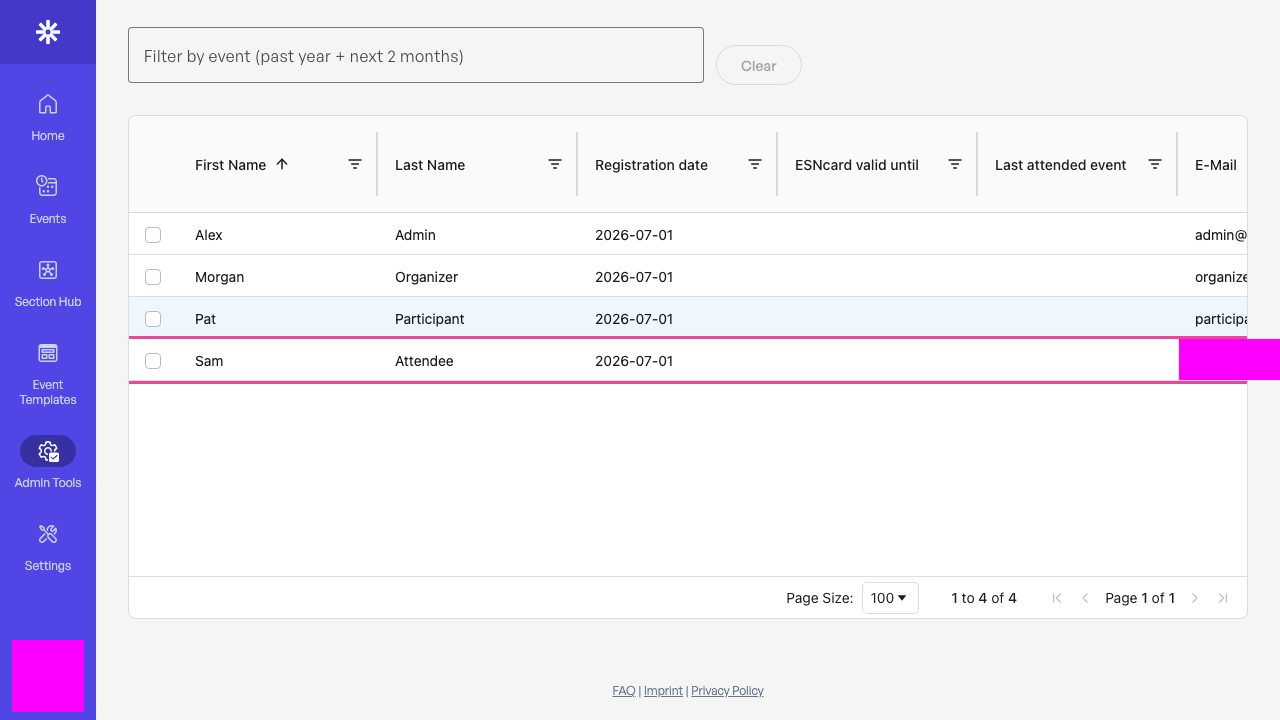 Find and verify the correct user before opening their record.
Choose role and membership status deliberately
Select Update role. User role controls administrative access; keep ordinary accounts as User. Membership status controls which section and event options the account can use. In this example, Helper records a volunteer relationship without granting admin access.
Grant Admin only when the person must manage section-wide users, settings, and publication. If you are unsure, cancel and confirm the intended access with another admin. 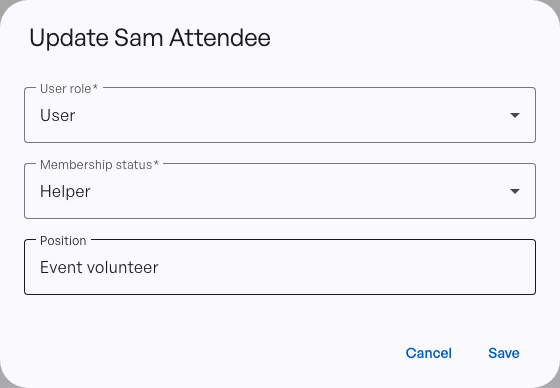 Role grants administration; status describes section membership.
Confirm the saved access
Reload the record and confirm Role: User and Status: Helper. Verifying both values prevents an accidental privilege change from going unnoticed.
Role changes affect protected admin surfaces. Ask the user to refresh their session before troubleshooting access that appears unchanged. 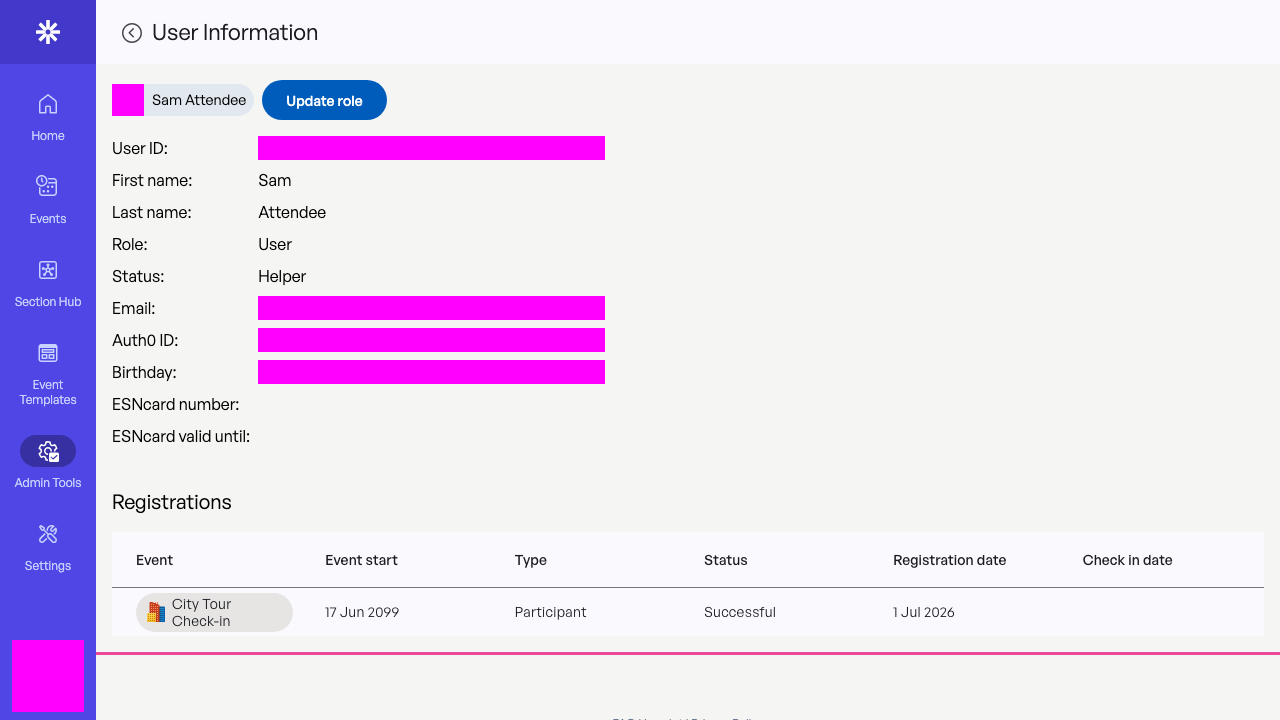 Reload the user record to verify both saved access values.