Admin
Configure user data
Required permissions
- Section admin: Only admins can change section-specific user data fields. Open Settings → User data collection. These fields become required section-specific questions on the profile completion form, so collect only information the section genuinely needs and can protect.
If the settings tab is missing, your account is not a section admin. Do not collect the information through an unrelated free-text field as a workaround. 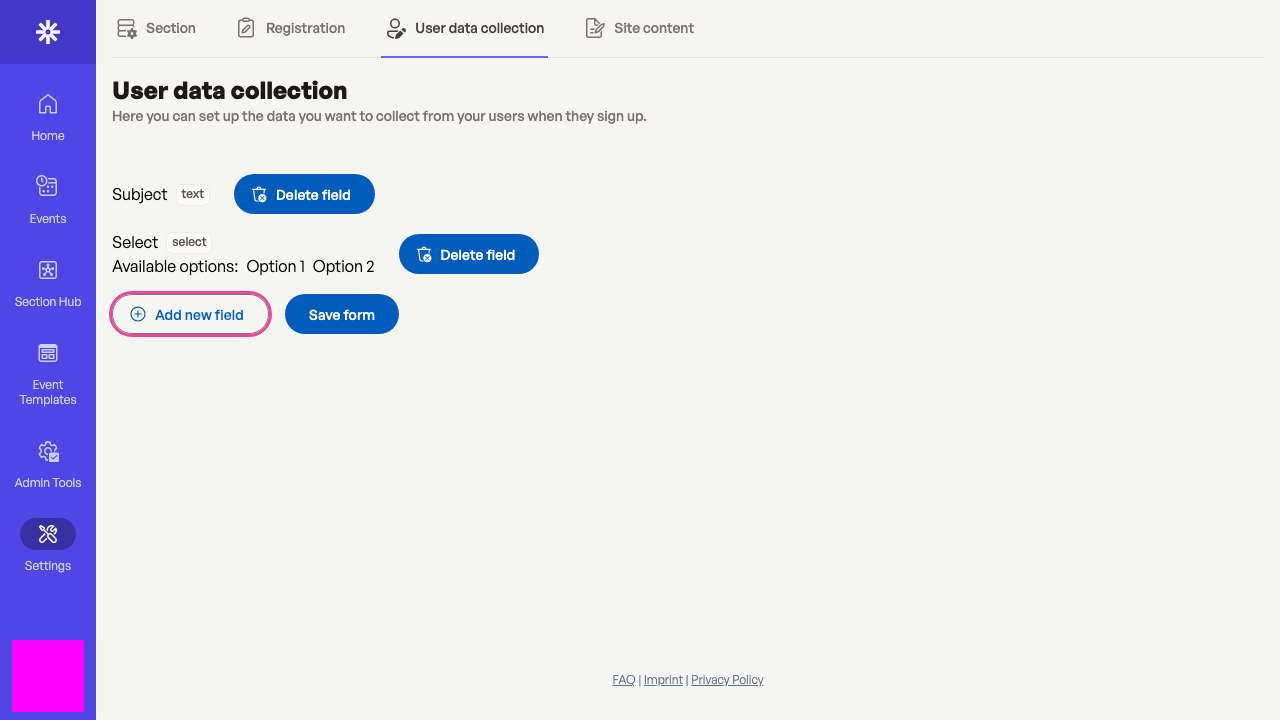 Add only section-specific data that has a clear operational purpose.
Define the field
Choose Text for a short free-text answer or Selection when users must choose from a controlled list. Use a precise field name; it appears to users exactly as entered. This example adds Emergency contact name. 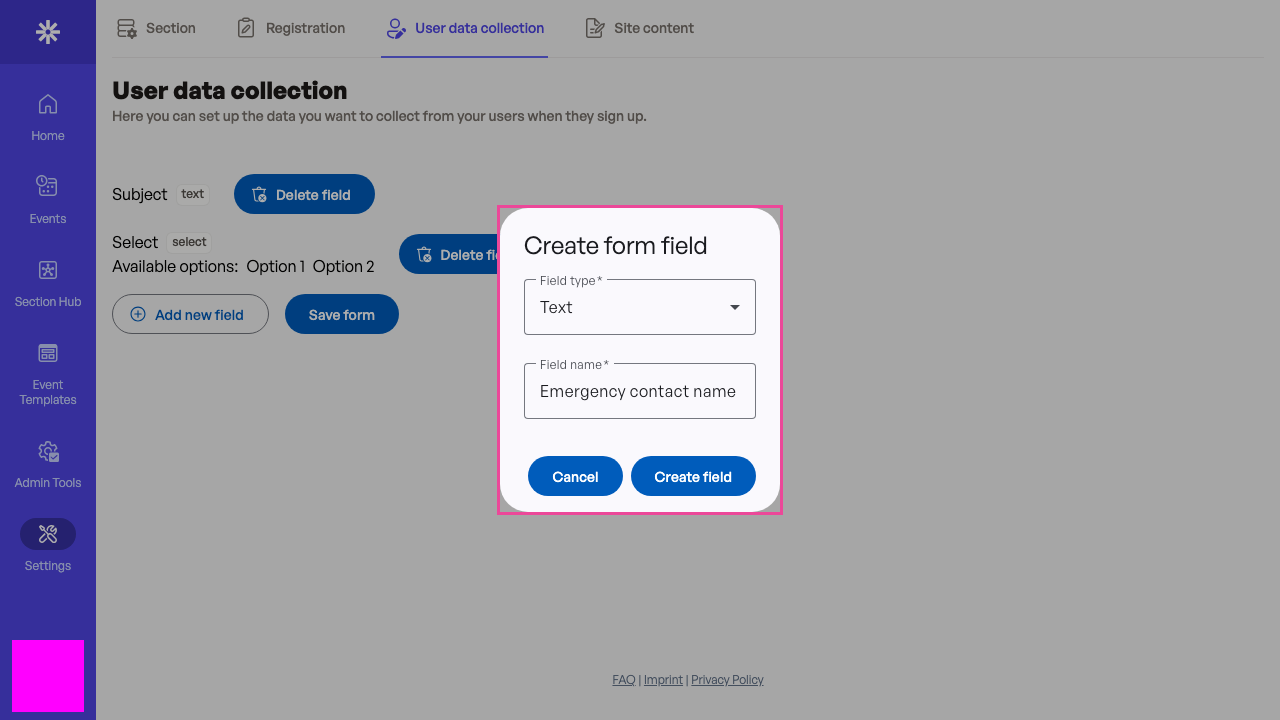 A clear label helps users understand what the section requests.
Save the form configuration
Creating the field only adds it to the local form builder. Select Save form to persist the complete field list. Review every existing field first: saving applies the whole configuration, not only the newest field. 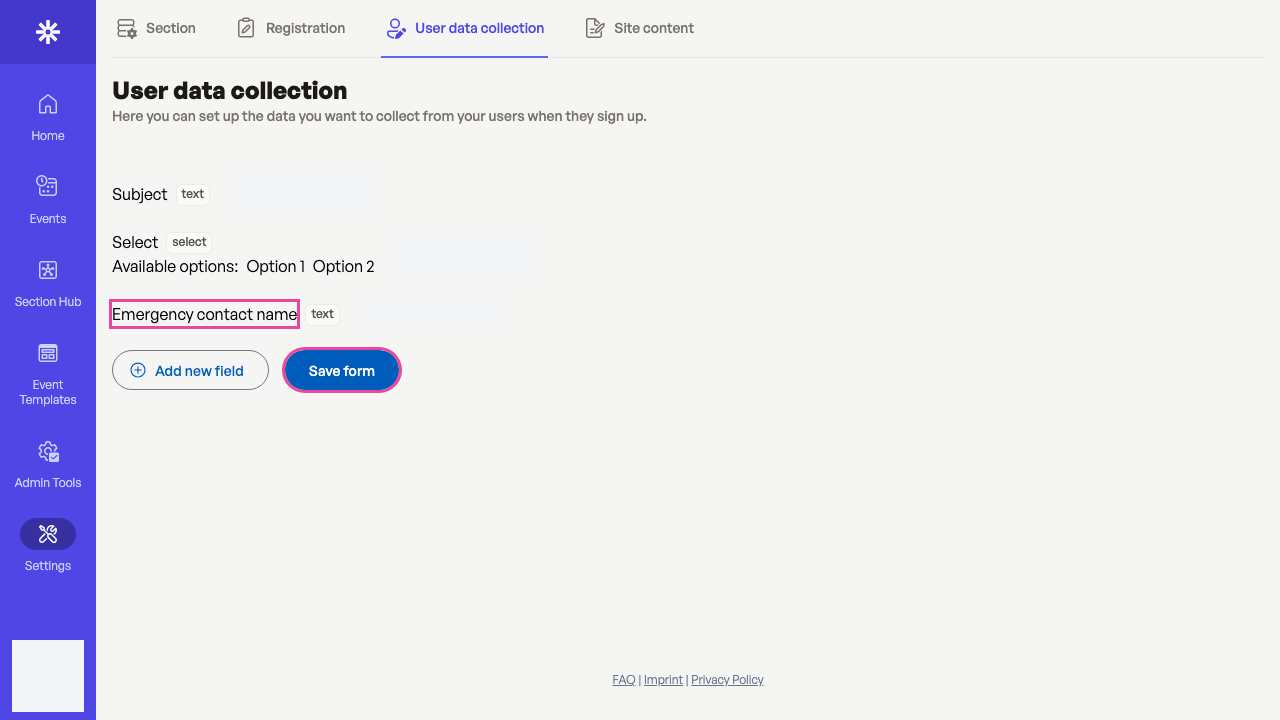 Save form persists the entire user data collection configuration.
Verify the onboarding effect
Open the profile completion form and confirm Emergency contact name appears under Section specific data. New users must supply configured fields during onboarding, and existing users encounter them when their section profile next requires completion or update.
If the field is absent, return to User data collection and confirm that the save success message appeared. Avoid repeatedly creating fields with slightly different labels. 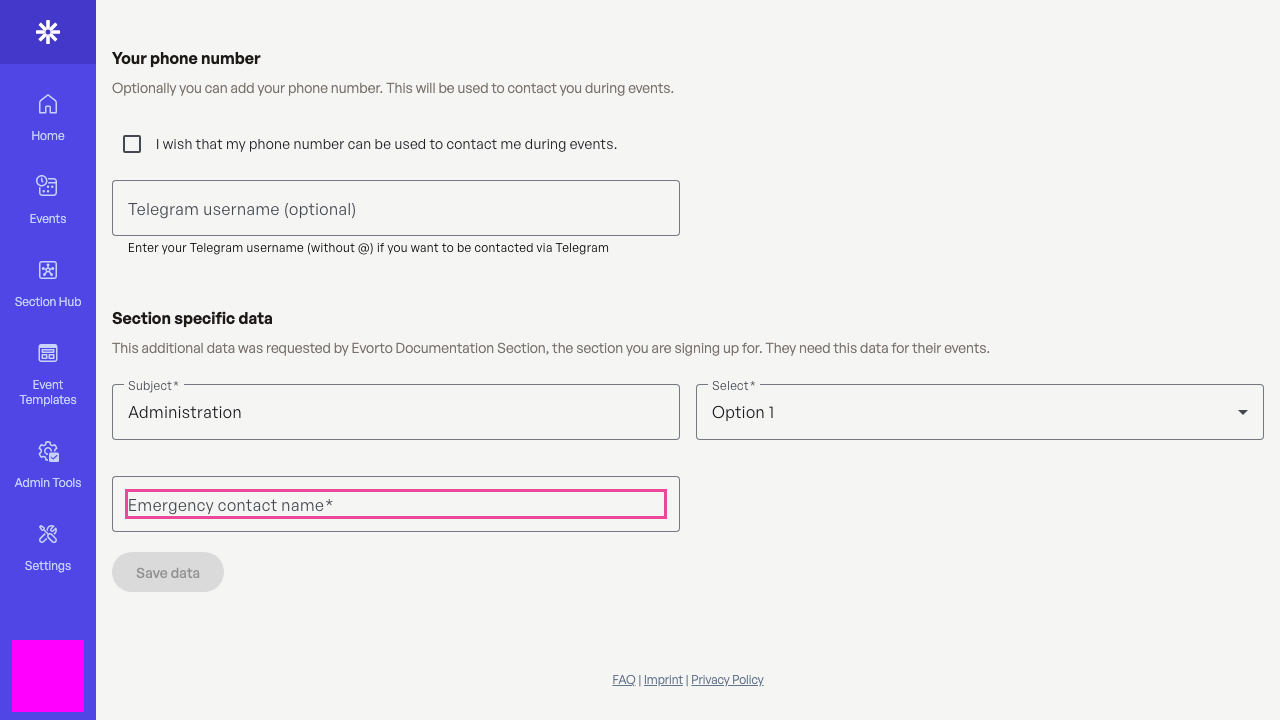 The profile form confirms that the new section field is active.